Home → Cataloging Bibliographic Records → Overlaying Records → Overlaying with Z 39.50
7.1. Overlaying with Z 39.50
Last Updated 02/19/2026
Overlay Poor Existing Records with New Records Using Z39.50
On This Page
Poor records may be replaced with better records from other institutions using Z39.50.
In some cases, Catalogers may discover records in the NC Cardinal catalog that don't meet minimum standards, or lack detail. Rather than editing multiple missing fields manually, these records can be replaced with better records discovered at external libraries using a process called Overlay.
Overlay Records Using Z39.50
-
Search for a record in the catalog that you want to overlay.
-
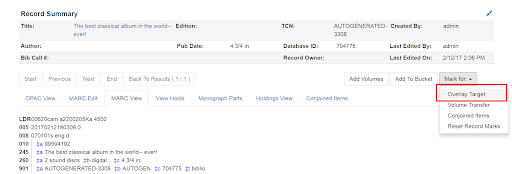
Select Mark for: Overlay Target.
-
Navigate to Cataloging → Import Record from Z39.50.
-
Search for the lead record that you want within the Z39.50 interface.
-
Select the desired lead record, and select Overlay.
-
The record that you have targeted to be overlaid, and the new record, display side by side.
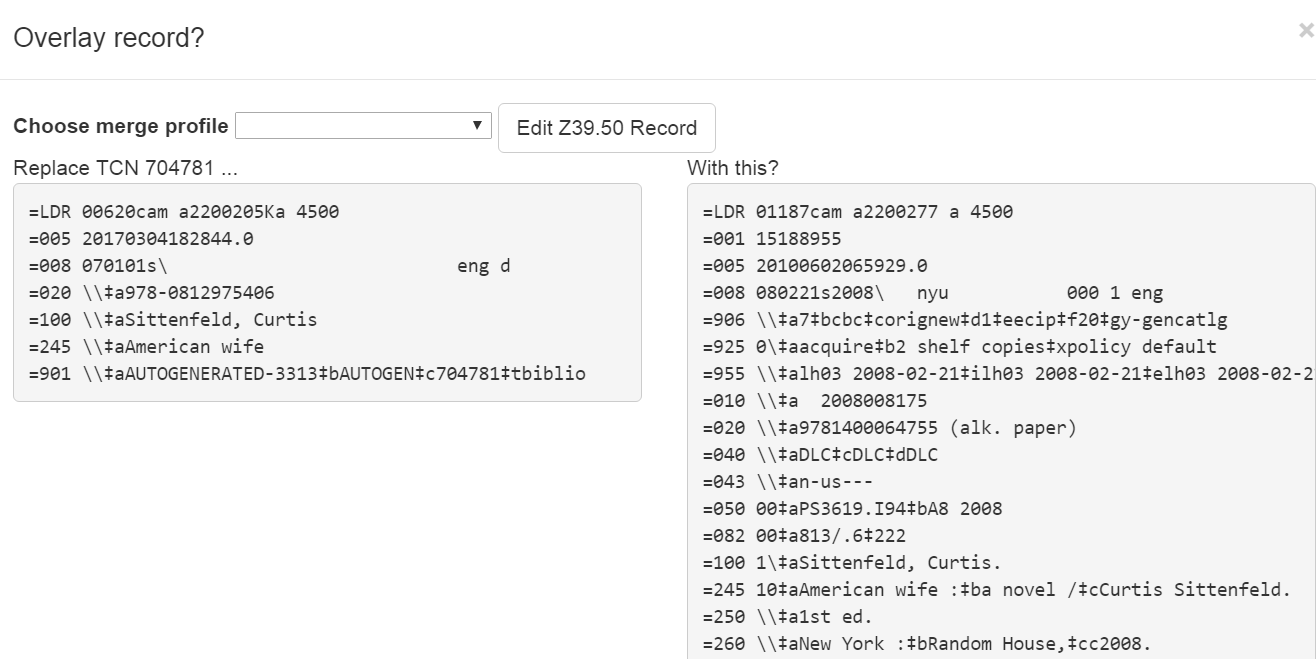
Note that the staff client remembers the last merge overlay profile that you selected, so the next time that you open the interface, it will default to that profile. Simply change the profile to make a different selection.
Edit the Record Before Overlaying
You can edit the lead record before you overlay the target. To edit the record:
- Select Edit Z39.50 Record above the lead record.
- The MARC editor will open. You can make changes in the MARC editor, or you can select the Flat Text Editor to make changes. After you have edited the record, select Modify in the top-right corner, and then Use Edits in the bottom-right corner. Note that the record you are editing is the version from the Z39.50 server not including any changes that would be made as a result of applying the selected merge file.
- You will return to the side-by-side comparison of the records and then can proceed with the overlay.
- Once you are satisfied with the record that you want to overlay, select a merge profile from the drop down box.
- Select Overlay. The overlay will occur, and you will be taken back to the Z39.50 interface.
Caveats
- When the merge profile is applied, the Z39.50 record acts as the target of the merge. For example, if your merge profile adds 650 fields, those 650 fields are brought over from the record that already exists in the Evergreen database (i.e., the one that you are overlaying from Z39.50).
- Merge profiles that contain a preserve field specification are not available to be chosen in this interface, as they would have the effect of reversing which bibliographic record is considered the target of the merge.
This page was: Helpful |
Not Helpful