Home → Cataloging Items/Copies and Holdings → Customized Item Messages → Statistical Categories
7.5. Statistical Categories
Last Updated 01/02/2026
Adding Statistical Categories to Items
On This Page
Item statistical categories in the Holdings Editor allow tracking circulations by a variety of locally important metrics. Stat Cats may be created in Local Administration and assigned to books in the Holdings Editor.
Item stat cats appear in the Holdings Editor. You might use item stat cats to track books you have bought from a specific vendor, measuring the local popularity ofspecific genres, or donations.
Creating an Item Stat Cat
To create a new item stat cat,
-
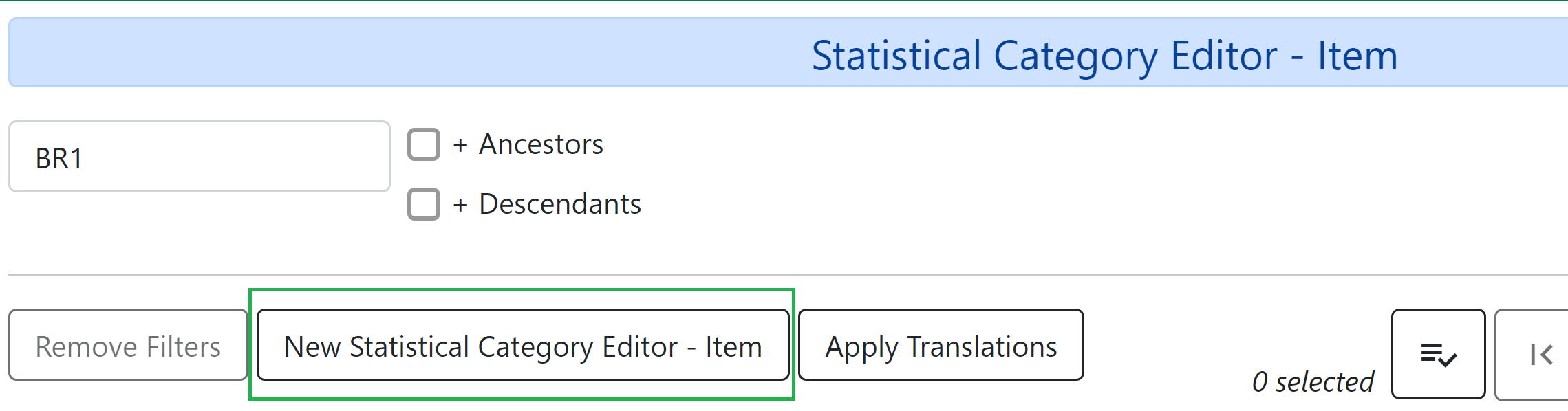
Go to Administration → Local Administration → Statistical Categories Editor - Item.
-
Click New Statistical Category Editor - Item.
-
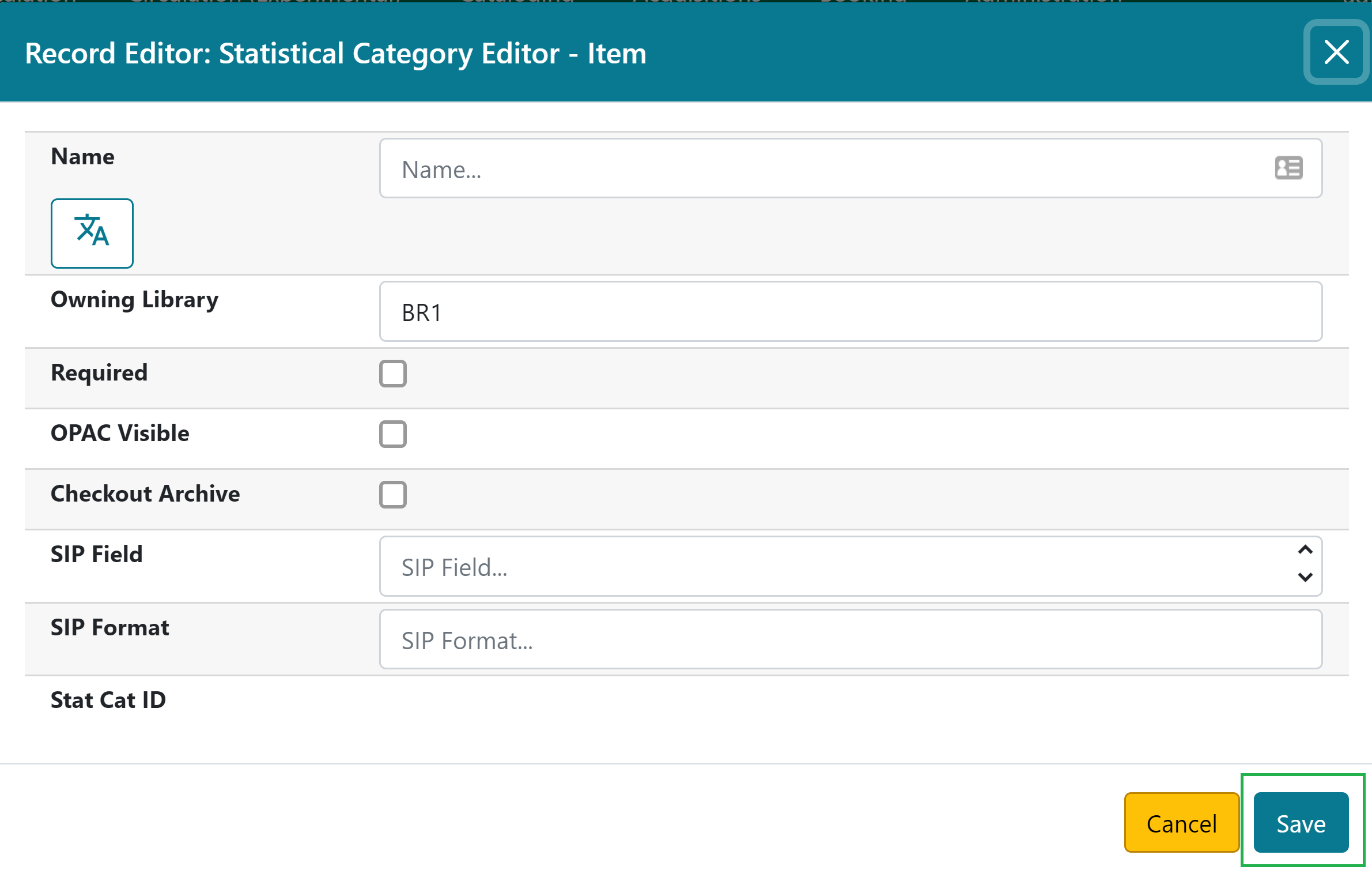
The editor will open, where you can set the following:
-
Name: This is what will appear in the Holdings Editor.
-
Owning Library: Select the library for which the stat cat applies.
-
Required: Select this option if the category must be assigned a value when editing the item attributes.
-
OPAC Visible: Select this option if the category should be displayed in the OPAC.
-
Checkout Archive: Select this option if the category and its values for the item should be archived with circulation data.
-
SIP Field: Select the SIP field identifier that will contain the category and its value (if applicable).
-
SIP Format: Specify the SIP format string (if applicable).
-
-
Click Save.
Assigning Stat Cats
- Open the Holdings Editor for the copy you want to add a stat cat to.
- Click on the Stat Cat you want to apply a value to.
- In the Field that appears, select the value you want to apply.
- Click the Apply button.
This page was: Helpful |
Not Helpful